The Communication Breakdown: Troubleshooting Daikin VRV’s U0/L5/P4 Error Codes That Stump Experienced Techs

Intro – When the Usual Fixes Don’t Fix It:

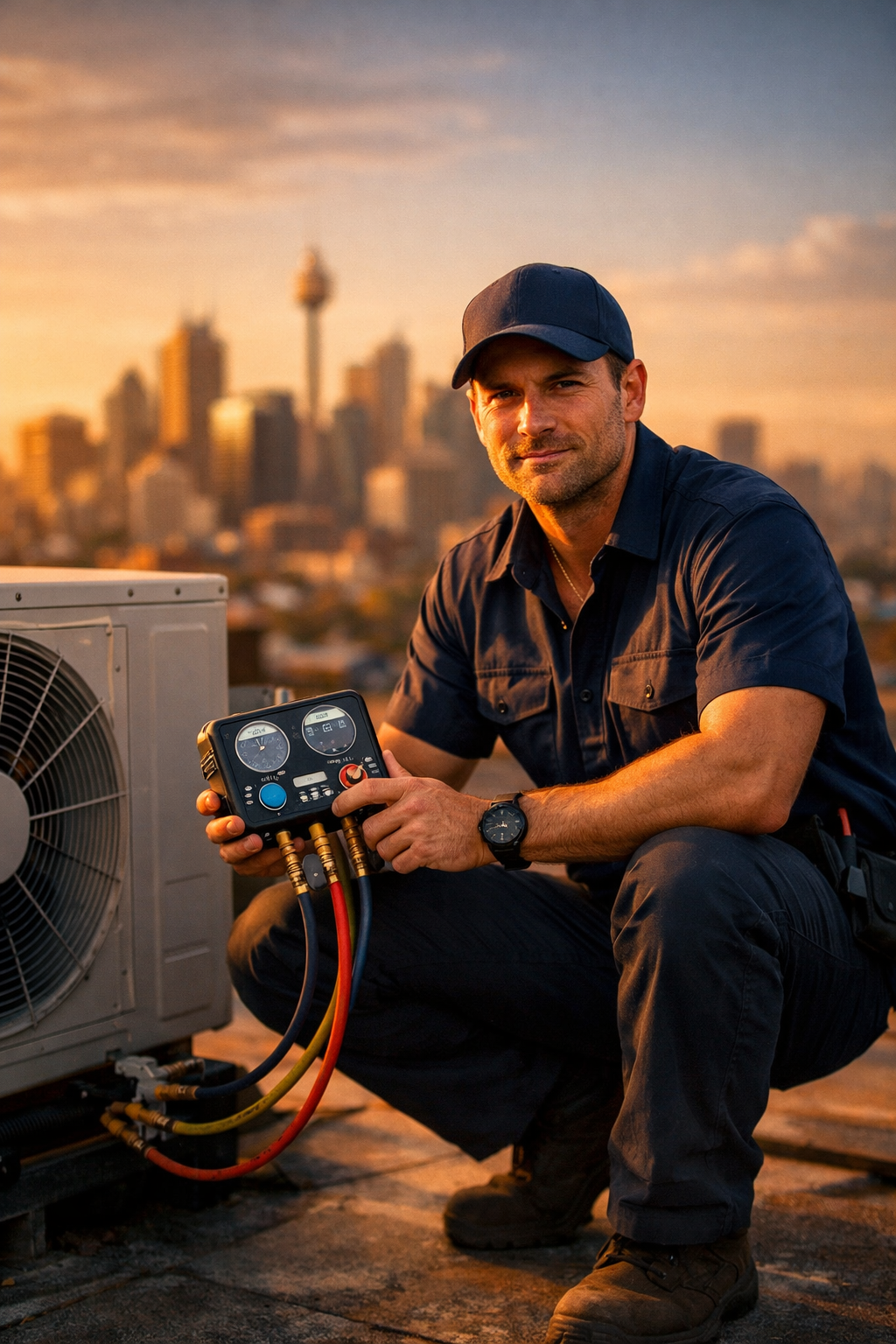
Picture this: you’re on a rooftop in the Aussie summer, staring at a Daikin VRV system that’s flashing an error code you know is trouble. An experienced technician like you has seen plenty, but this U0 code (low refrigerant warning) just won’t lead you to any obvious leak. The next day, another job throws an L5 fault (inverter overcurrent) that resets after a power cycle – only to return, leaving you scratching your head. Even seasoned techs are getting stumped by these cryptic codes. Many end up calling Daikin support and waiting hours, only to learn the root cause wasn’t a simple component failure at all, but a complex communication wiring issue or a vague low-charge warning with no actual leak. What’s going on here? In this post, we’ll walk through the diagnostic process (the same one we teach in our official Daikin VRV course) to isolate whether a U0, L5, or P4 error is due to a real refrigerant leak, a communication failure, or a board/sensor glitch. By the end, you’ll have a step-by-step game plan to tackle these tricky faults – no endless support hold music required.


Decoding Daikin’s Error Codes – Binary Blinks vs. LCD Readouts

Before diving into troubleshooting, you need to get the error code itself. VRV systems have evolved over the years in how they communicate errors to you:

  • Old School (VRV II/III era): If you’ve worked on earlier Daikin VRVs, you’ll recall the “binary blinking lights” method. The outdoor unit’s control PCB has a row of LED indicators (labeled H1P, H2P, etc.) that flash in a certain sequence to represent error codes. Reading them involves entering a service mode and interpreting a binary pattern of LEDs for the error’s two-digit code. It’s a bit like decoding Morse code – press the Mode and Set buttons in a specific rhythm, count the lights, and translate to a letter/number combo. For example, one sequence might flash out “U0” if you know how to count the right LEDs. This system works, but on a hot roof with the sun glaring, trying to count blinking LEDs could drive anyone crazy. (If you’ve ever pressed “Mode” then “Return” and squinted at a row of LEDs, you know the feeling!)

  • New School (VRV IV/VRV 5 era): Thankfully, Daikin made life easier on newer VRV models like the VRV IV, VRV-X and VRV 5 series. These units include a 7-segment LCD display on the outdoor unit board or show the error directly on the central controller screen. In plain terms, the system spells out the error code for you – no binary math required. If a malfunction occurs on a VRV IV/5, you’ll see something like “U0” or “L5” right on the unit’s little display, and the same code usually appears on any connected remote controller’s screen. This upgrade is a huge relief – instead of deciphering blinks, you get a clear readout. (It’s worth noting that Daikin’s push for serviceability on VRV 5 even highlights the addition of the quick-read 7-seg display for error codes and settings.)

Bottom line: Make sure you have the correct error code identified before chasing ghosts. If it’s an older system, take the time to retrieve the code via the LED/blink method (it’s tedious, but necessary). On newer systems, trust the LCD readout – it’s usually spot-on. Now, with the error code in hand, let’s move on to isolating what’s actually causing it.

The Diagnostic Game Plan: Is It a Leak, Communication Issue, or Component Failure?

When confronting U0, L5, or P4 errors that aren’t an obvious quick fix, it helps to follow a structured game plan. The goal is to systematically determine whether you’re dealing with a refrigerant problem, a communication wiring issue, or a failed sensor/board component. Here’s the step-by-step approach we recommend (and teach):

  1. Verify the Error Code & System Status: Double-check the code and any related info. Note if multiple codes are present or if the error is intermittent. On a networked VRV system, sometimes an indoor unit might display a different code than the outdoor – focus on the outdoor unit’s code for the primary fault. Ensure the system isn’t in some test mode and that the error is currently active (not just in memory). This initial step sounds basic, but it prevents misreading the situation – you don’t want to chase a U0 (refrigerant shortage) if the system was actually showing U4 (communication error) due to a mis-read blink or an extra letter. So, confirm what you’re dealing with first.

  2. Check Communication Health (F1/F2 Wiring & Addresses): Many “weird” VRV problems ultimately boil down to communication issues on the F1/F2 control wiring bus. Before assuming a compressor is toast or the charge is low, make sure all indoor units and any Branch Selector (BS) boxes are communicating properly with the outdoor unit. An excellent trick here is to use the “Forced Fan ON” service mode for indoor units. This forces all indoor fan coil blowers in the system to run on high speed (without needing cooling or heating demand). Why do this? If an indoor unit’s fan does not come on during this forced operation, that indoor unit is not communicating with the outdoor unit’s controls. It could be miswired to a different system, have a duplicate address, or be suffering a communication line break. By walking around and seeing which indoor fans are running, you can quickly identify any units or BS boxes that aren’t “talking” to the outdoor unit. This isolates communication failures before you waste time on other diagnostics. If you do find a communication problem (e.g. a loose F1/F2 connection, crossed wires between systems, or an indoor unit accidentally wired to the wrong condenser), fix that first and reset the system. A surprising number of mysterious U0/L5/P4 scenarios clear up once the network wiring issues are resolved, because some “errors” are actually just the system getting confusing data – a true communication breakdown. In short: ensure the VRV system’s internal communication is solid (correct wiring, no noise interference, proper unit addresses) before digging into refrigerant or electronics.

  3. Inspect for Installation or Design Mistakes: If comms check out, the next step is to look for any installation issues or design flaws that could trigger these error codes. It’s not always a failed part – sometimes the system is just reacting to a bad install condition. Key things to check:

    • Refrigerant Piping Valves & Routing: Believe it or not, one of the most common causes of **U0 or L5 errors in a new install is a closed service valve or a pinched/blocked refrigerant line. A closed liquid line stop valve will starve the evaporators and can instantly throw a U0 (low refrigerant) or cause the compressor to trip L5 overcurrent due to pumping against a closed valve. Similarly, a clogged or kinked refrigerant pipe (or an incorrectly sized/installed line) acts like a refrigerant “clot,” causing low pressure on one side and high pressure on the other. The VRV’s logic might interpret that as a leak (triggering U0) or lead to compressor overload (L5). Daikin documentation explicitly lists “closed stop valve” and “clogged refrigerant piping” as possible causes for U0 and L5 codes. So do a walk-around: are all service valves open? Any obvious kinks in the piping? Correct any found issue, reset power, and see if the error returns.

    • Airflow Issues (Indoor and Outdoor): VRV systems are loaded with sensors that react to temperature and pressure, so airflow problems can set off chain-reaction symptoms. Check the indoor units’ air filters, return air openings, and ductwork for obstructions or restrictions. A pinched duct or a heavily blocked return air filter will choke the airflow through an indoor coil, which can cause the coil to freeze or the refrigerant pressure to drop abnormally low. This might fool the system into thinking there’s a refrigerant shortage (U0) or simply trigger the indoor freeze protection (which on Daikin is an A5 code). On the flip side, check the outdoor unit’s heat exchanger – is it clean and are the condenser fan(s) working properly? If the outdoor coil is clogged with dirt or the fans aren’t running, the inverter heat sink and refrigerant pressures will soar, potentially throwing L5 (overcurrent) or L4/P4 errors due to high temperature at the inverter module. For instance, an outdoor fan failure or a blocked condenser can lead to the inverter’s radiating fin (heat sink) overheating – the sensor will trip P4 if it detects that high temperature. In summary, ensure the system has proper airflow: no collapsed ducts, all fans operational, coils clean, and nothing inadvertently “designing in” a problem like two units short-circuiting air to each other.

    • Power Supply and Phasing: While not the main focus of U0/L5/P4, it’s worth a quick mention: verify the power supply is within spec and properly phased (for three-phase units). A significant voltage imbalance or a phase reversal can cause all sorts of error codes (e.g. U1 for phase issues). L5 (overcurrent) can sometimes occur if the supply voltage is low or fluctuating, causing higher amp draw. So make sure the electrical basics are covered too (correct voltage, tight electrical connections).

  4. Investigate the Error Code’s Core Cause: At this point, if communication is solid (step 2) and no glaring installation issues remain (step 3), you’re left with the error code itself and its possible component causes. Now it’s time to drill down into whether it’s truly a hardware problem (leak, sensor, compressor, board) or a misreading. Let’s break down the big three codes and what to do for each:

    • U0 – “Refrigerant Shortage”: The U0 code means the system thinks it’s low on refrigerant charge. Don’t immediately grab the refrigerant drums, though – your job is to confirm if the system is genuinely undercharged or if something else is tricking it. First, use your gauges or (better) the VRV’s built-in data (if you have the service checker or can view pressures via the remote) to check operating pressures. If the system is off on U0, do a static pressure check against ambient temperature – does it indicate loss of charge? If yes, then you likely do have a leak and that’s your culprit: time to find and fix it. But if the pressures look normal or you can’t detect any evidence of a leak (no oil stains, holds pressure when off, etc.), consider alternative causes. Remember that U0 can be triggered by sensor or system errors as well. For example, a faulty refrigerant temperature or pressure sensor could feed incorrect readings to the control – the unit might think there’s a drop in refrigerant amount when actually the sensor is out of calibration. Also revisit those stop valves and EEVs: a closed liquid line or a stuck electronic expansion valve could simulate low charge by starving part of the system. Daikin’s fault chart notes U0 can be caused by “refrigerant shortage and refrigerant clogging (wrong piping)” or even a defective thermistor or pressure sensor. In practice, a good step here is to compare sensor readings: if you have a diagnostic tool or the VRV service mode, see what the low-pressure sensor value is and whether it makes sense. If suspicious, test the sensor (many pressure sensors can be checked for correct voltage output at known pressure). In short: Confirm actual refrigerant charge status independently. If charge is fine, the U0 is likely a false alarm due to a sensor or flow issue. In those cases, you might need to replace a sensor or fix a restriction rather than “repair a leak” that doesn’t exist.

    • L5 – “Inverter Overcurrent”: An L5 error means the outdoor unit’s inverter module detected a DC over-current condition – basically, the compressor is drawing more current than it should, or at least the system thinks it is. This one often strikes fear because it can hint at a compressor on its last legs or a fried inverter. But let’s systematically approach it. First, rule out the simple stuff: Was any service valve closed? (This comes up yet again – a closed discharge or liquid valve means the poor compressor is dead-heading at full load, spiking amperage in milliseconds – a sure recipe for L5.) If valves are all open, look at the compressor itself. With power isolated, do an ohm test on the compressor windings and a megger (insulation resistance) test to see if the motor is shorted to ground or has uneven resistance between phases. A defective compressor coil or internal mechanical lock-up will definitely cause overcurrent draw. If the compressor tests bad (e.g. winding shorted or zero compression movement), that’s likely your culprit – it needs replacement. However, many times the compressor passes these tests, which means something else caused the overcurrent. Next, consider operating conditions: was the unit running in extremely high pressure conditions? For instance, a clogged condenser coil or failed condenser fan can send head pressure through the roof, making the compressor work way too hard – the inverter senses the surge in current and trips L5 to protect itself. Check that the outdoor fans are all operational and the coils are clean. Also verify the power supply – if the voltage dropped or one phase lost momentarily, the inverter might see a current spike. Assuming the compressor and fans check out, you might have an inverter drive issue. A faulty inverter PCB or IPM (power module) can misread current or even cause overcurrent if it misfires phases. Daikin’s guidance for L5 includes possible “defective inverter PCB” causes. Here, using tools like the Daikin inverter checker (if available) or swapping the inverter with a known good one (if you have multiple modules) can confirm. Also, consider if L5 occurs at startup vs during run: If it’s instantaneous on startup every time, it could be a seized compressor (can’t turn, draws locked rotor amps) or a bad inverter that can’t commutate properly. If it occurs after running a while, think overheating or intermittent short. Summary for L5: Check for any external causes of high current (mechanical or installation issues) first. If none, then it’s likely either the compressor itself failing or the inverter electronics misbehaving – each requires a different fix (replacement of the compressor vs. the PCB/module).

    • P4 – “Radiation Fin Sensor Error / Overheat”: The P4 error is a bit different in that it directly points to a sensor – specifically the inverter radiating fin temperature sensor on the outdoor unit. This sensor monitors the temperature of the inverter’s heat sink (the metal fins usually attached to the inverter module). A P4 code means either “Hey, that heat sink is way too hot!” or “The sensor circuit is open/short, I can’t read it.” The diagnostic process here splits along those lines. First, determine if the inverter actually overheated or if the sensor is likely at fault. If the unit was operating on a scorching day and perhaps an outdoor fan failed, it’s very plausible the inverter’s heat sink really did overheat – P4 is then a legit over-temp warning. In that case, address the cause of overheating: check the heat sink’s cooling fan (some Daikin VRV units have a small fan or are tied into the main fan), ensure the area isn’t clogged with dirt, and that ambient conditions aren’t exceeding spec. However, if the unit wasn’t under a heavy load or the weather is mild yet P4 keeps popping up, suspect a sensor fault. The sensor could be reading inaccurately due to age or damage. Daikin lists “Defective radiating fin thermistor” and “defective wiring contact” as causes for P4 (along with the possibility of a bad outdoor PCB input). You can test the sensor with a multimeter – find its connector on the board and check resistance against the temperature table (typically these are thermistors whose resistance you can measure; if it reads open circuit or drastically out of range for ambient temp, it’s bad). If the thermistor is faulty, replace it (a relatively easy and cheap fix compared to compressors!). In rarer cases, the inverter could be overheating due to an internal issue (like the power transistor module generating excess heat). Also consider if L4 error ever showed up before – L4 is related and indicates the inverter fin got too hot (it’s essentially the alarm before P4 sensor error). An L4 “fin temperature rise” might precede P4 if the system tried to run hot and then P4 came when the sensor failed afterward. In any case, for P4: check the actual temperature (by feeling the heat sink or reading live data if possible) and check the sensor itself. Replace the sensor if faulty; if the sensor is fine and the thing is truly overheating, improve cooling (clean the area, fix fans, or in worst case the PCB might be misreading and need changing).

  5. Reset, Test Run, and Verify the Fix: After addressing the likely causes (whether tightening a loose communication wire, opening a valve, cleaning a coil, or swapping a sensor/board), it’s moment of truth time. Clear the error code (on Daikin you may need to cycle power or hit the reset button), and do a test run of the system. Force it into cooling or heating as needed to put some load on it, and monitor operation. It’s often wise to run the unit through its paces for 20-30 minutes and verify that the error does not recur. While testing, keep an eye on pressures, temperatures, and currents either via gauges or the intelligent controller monitors. If everything stays in range and no error codes return – success! You’ve isolated and fixed the issue. If the same code comes back, you may have to dig deeper or re-check the previous steps (for example, if U0 returns but you know charge is good and sensors are good, maybe there is a subtle leak after all, or the control PCB has a defect in how it’s reading the sensor). The key is that because you’ve systematically eliminated communication problems and installation flaws first, you’re now troubleshooting a much smaller target – either a hidden leak or a genuinely bad component.


When It’s Not a “Fault” at All – Installation Blunders vs. True Failures

One big takeaway from the above process is that not every error code means a broken part. Sometimes the “fault” lies in how the system was set up or is being operated, rather than a defective piece of hardware. We see this a lot in training sessions: a technician might be ready to condemn a compressor or add refrigerant, when in fact the error was induced by an installation oversight.

Examples of Design/Installation Issues Triggering Errors:

  • Pinched or undersized refrigerant line → U0 error: If during installation a liquid line got pinched or an oil trap wasn’t properly made, the refrigerant flow may be restricted. The system’s sensors interpret the resulting pressure drop as a loss of refrigerant. You’ll get a U0 code crying “shortage of refrigerant” even though the refrigerant is all there – it’s just bottlenecked in one section. Only by fixing the piping (unpinching or re-piping correctly) does the code go away. In Daikin’s fault list, this scenario is literally called out: a U0 can be triggered by “refrigerant clogging (wrong piping)”. In other words, an installation mistake can masquerade as a refrigerant leak.

  • Poor airflow (return air starved or ducts collapsed) → freeze-ups and spurious low-pressure faults: Imagine an installer significantly undersizes a return air grille or a duct gets crushed above a ceiling. That indoor unit will struggle to breathe. In cooling mode, low airflow means the coil can drop below freezing and eventually trip a protection (you might get an A5 error for freeze protection, or if the system tries to compensate, perhaps even a U0 if it decides the evap pressure is unnaturally low). The tech arrives and sees a low-pressure situation – it’s tempting to think “low refrigerant,” but the real problem is low air. Fix the airflow (open up the return, replace that pinched duct) and the pressures return to normal, error gone. No parts needed – just better design. The moral is that sometimes the best “repair” is correcting the installation rather than swapping a component.

  • Ventilation or load issues → sensor alarms: Another design factor is if a system is running outside of its expected range due to load conditions. For instance, if a VRV system was designed for a certain heat load but an area was closed off, the unit might cycle oddly or run in conditions that trigger sensor alarms (like short cycling causing oil return issues or intermittent thermistor readings). These are edge cases, but the point stands: think holistically. Is there something about how this system is installed or being used that could be causing the error? This is especially relevant for things like P4 (inverter overheating – maybe the unit is installed in a plantroom with poor ventilation, so it’s cooking itself) or L5 (maybe a long refrigerant piping length with no oil traps causing compressor strain). While rare, these factors differentiate a top-notch troubleshooter from an average one.

In our experience, about half the time a weird VRV error ends up being “field issues” (wiring, piping, airflow, power) rather than a dead part. By being aware of these, you can save a lot of time and avoid unnecessary part swaps. As one seasoned Daikin engineer quipped, “the smartest tool a tech can have is a clear mental checklist – not just a wrench.”

Wrapping Up – Bringing It All Together (And How We Can Help)

Confronting U0, L5, P4 error codes on Daikin VRV systems can feel like chasing shadows – even veteran technicians have been left scratching their heads (and cursing under their breath) at these alarms that don’t give an obvious culprit. The secret to conquering them is a methodical diagnostic approach: confirm the code correctly (binary or LCD, old vs new), systematically rule out communication faults and installation snafus, and only then zero in on actual leaks or component failures. By following the steps above, you’re essentially breaking a complex problem into manageable pieces. It’s about isolating the issue: Is the system really low on gas or just thinks it is? Is the compressor actually in trouble or is it being pushed outside its limits? Is that sensor defective or doing its job by reporting an extreme condition?

The difference between an average tech and an expert often comes down to this diagnostic process. That’s exactly why our Alpha Technical Training center, in partnership with Daikin Australia, puts such an emphasis on troubleshooting in the Daikin VRV Systems course. (Alpha is Daikin’s official training partner for VRV in Australia – we helped design the course because we’ve been in the field and know the pain points firsthand.) In the course, there’s a “heavy focus on locating and rectifying faults including inverter and refrigerant based scenarios” – sound familiar? Yes, those inverter overcurrent and refrigerant shortage scenarios you hate are the ones we love to dissect in the classroom. We walk through real case studies of U0 misdiagnosed as leaks, L5 errors caused by nothing more than a closed valve, P4 sensor trips that were solved with a $5 thermistor replacement, and so on. Technicians get hands-on practice with reading binary codes vs. using the VRV IV/5 displays, using the forced fan method to find miswired units, and performing component tests (checking fan motors, expansion valves, transistors, etc.). The idea is to arm you with a game plan so that when you’re back on that rooftop, you can systematically troubleshoot without the frustration.

So next time you face the dreaded U0, L5, or P4 error: take a deep breath and remember the communication breakdown can be solved. Follow the steps to let the system “speak” to you – often it’s telling you where to look, if you know how to interpret the signs. And if you’re keen to sharpen that skill, consider formal training – even experienced techs walk away with new tricks and a sharper eye after learning the nuanced diagnostic process for Daikin VRV systems. In the end, there’s no better feeling than fixing a complex VRV problem that had others stumped. You’ll not only save yourself hours on hold with tech support, but you’ll also earn a reputation as the go-to VRV whisperer who can cure the communication breakdown and get the cool (or heat) flowing again. Happy troubleshooting!

Share on

Get Your Skills Recognized with Fast-Tracked Certification!

More Content

Not Sure Where to Start? Just Book A Call With Our Consultants. It’s Free!